CoBang — QR scanner for Linux



What it does
Built for the Linux desktop
CoBang is a small, native GTK application that handles everyday QR tasks without pulling in a web stack or sending data anywhere.
-
Scan from webcam
Point your laptop camera at a code. CoBang reads it live and copies the result to the clipboard.
-
Scan from image
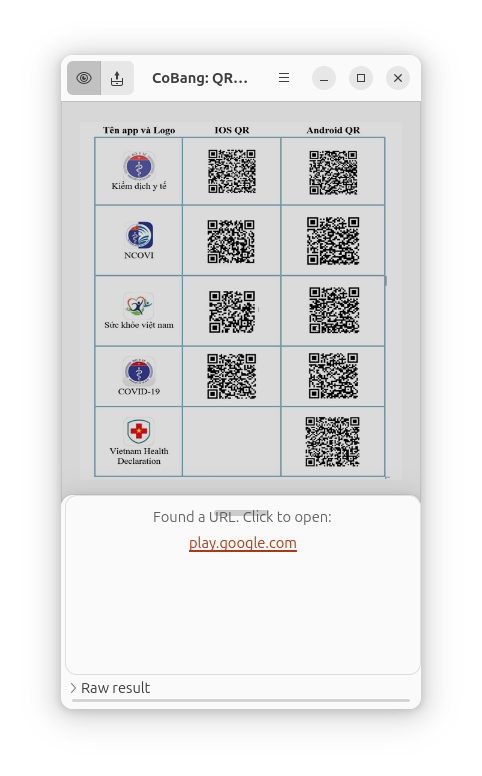
Drop or open any PNG, JPEG or WebP file. CoBang finds and decodes every QR code in it.
-
Generate codes
Create QR codes for plain text, URLs, email, phone numbers and WiFi networks, then save them as images.
-
WiFi made easy
Scan a WiFi QR code to connect instantly, or generate one from your saved networks to share with guests.
-
Dark mode
Follows your system theme. Both light and dark variants are polished and readable.
-
Privacy first
All scanning and generation happens locally. No analytics, no accounts, no network requests.
Supported formats
Reads and writes common QR payloads
- URL
- Plain text
- WiFi
- Phone
- SMS
Gallery
Screenshots
CoBang in everyday use: scanning, generating, and switching between light and dark themes.
Get CoBang for your Linux desktop.
Available as a Flatpak from Flathub.
Source code and issue tracker on GitHub.